By Manuel F. Pena, President, SysUp Systems, Inc.
When people hear “cybersecurity,” they often picture expensive software, complicated hardware and a big line item in the budget. So it’s easy to fall for one of the most common myths out there: that better security has to cost a lot of money.
Here’s the truth. Technology is only one piece of the puzzle. For many businesses, the biggest risks don’t come from missing a fancy tool. They come from basic security habits that were skipped, put off or applied unevenly across the team.
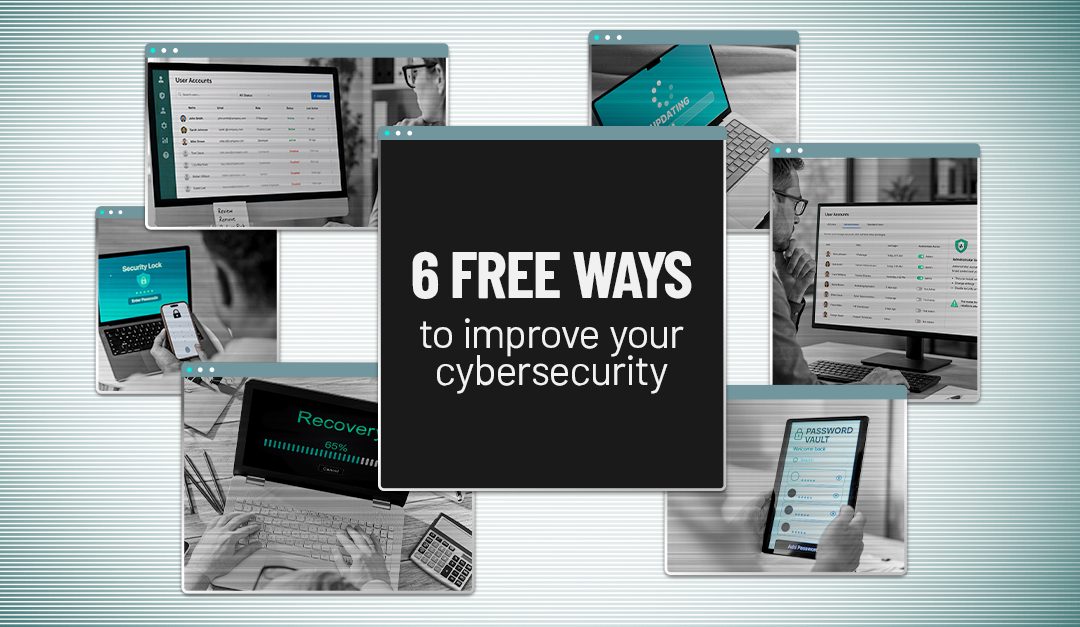
The good news? Many of those gaps cost nothing to fix. Here are six practical, no-cost improvements that can strengthen your small business cybersecurity this week.
Why the Basics Matter So Much
Attackers love an easy target. According to Verizon’s 2025 Data Breach Investigations Report, the two most common ways attackers got their foot in the door were abusing stolen or weak credentials (22% of breaches) and exploiting software vulnerabilities (20%). In plain English, many break-ins start with a password that wasn’t protected well enough or software that wasn’t kept up to date.
Think of it like your home. You can install a top-of-the-line alarm system, but if you leave the back door unlocked and a spare key under the mat, you’re still making it easy for a burglar. These six steps are about locking the doors you already have.
1. Turn On Multi-Factor Authentication (MFA)
If you only do one thing on this list, make it this one. Multi-factor authentication (MFA) asks users to prove who they are in more than one way before they can get into an account. Beyond a password or PIN, that second step might be a code from an authenticator app or text message, a physical security key, or a fingerprint or face scan.
Why does it matter so much? If an attacker steals or guesses a password, that alone usually isn’t enough to get in. They’d still have to get past the second check. A Microsoft Research study of real-world accounts found that MFA reduced the risk of account compromise by more than 99%.
Start by turning on MFA for:
- Microsoft 365 or Google Workspace
- Banking and payroll applications
- Cloud storage services
- VPN and remote access tools
- Any other business-critical applications
Most platforms include MFA at no extra cost. Flipping that switch closes one of the easiest doors attackers try first.
2. Remove Old and Unused Accounts
When an employee leaves, a contractor’s project wraps up or you stop working with a vendor, their accounts don’t always disappear with them. These forgotten accounts can sit active for months or even years, and because nobody is watching them, they make a tempting back door for attackers.
Good user account management starts with a simple review. Go through your user list and ask:
- Does this person still work with us?
- Does this account still serve a real business purpose?
- Does this account need the level of access it currently has?
If the answer to any of these is “no,” remove the account or scale back its permissions. Then make account cleanup a standard part of your offboarding process so it doesn’t pile up again.
3. Stop Giving Everyone Administrator Access
Administrator accounts are the master keys to your systems. They can install software, change settings and even switch off security protections. That’s exactly why attackers want them.
Handing out admin access “just in case” is like giving every employee a key to the safe. Take stock of who has admin rights across your business and ask:
- Does this person truly need admin rights to do their job?
- Is there a lower access level that would work just as well?
- Do all of the accounts that currently have admin access still need it?
Remove admin privileges wherever they aren’t necessary. When people have only the access they need, a single compromised account can do far less damage.
4. Turn On Automatic Updates
Attackers actively hunt for software with known security holes. Updates and patches close those holes, but only if they actually get installed. Waiting to click “remind me later” gives criminals a window of opportunity.
Make sure automatic updates are turned on for:
- Windows and macOS computers
- Phones and tablets
- Web browsers
- Microsoft Office and other productivity apps
- Antivirus and security software
- Key business applications
Staying current closes known gaps before attackers have a chance to slip through them.
5. Start Using a Password Manager
Strong, unique passwords matter. But let’s be realistic: nobody can remember a long, complex password for every single account. So people reuse passwords, write them on sticky notes or pick something easy to guess.
A password manager solves that problem. It helps your team:
- Create strong, random passwords
- Store them securely in one encrypted vault
- Avoid reusing the same password across accounts
- Share login details safely when a team truly needs to
The fewer passwords people have to remember, the less likely they are to fall back on weak ones. Many reputable password managers offer free versions, and business plans are typically very affordable.
6. Make Sure Your Backups Actually Work
Having a data backup is great. Knowing you can actually restore it is even better. Too many businesses discover their backups are incomplete or broken at the worst possible moment, right after a ransomware attack, hardware failure or accidental deletion.
Check in on your backups and ask:
- When did our last successful backup run?
- Has anyone tested restoring files recently?
- How long would it take to get back up and running?
A backup only protects your business if it works when you need it. Testing it now saves a lot of stress later.
Small Changes Can Make a Big Difference
Strong cybersecurity doesn’t have to start with a big investment. It starts with closing the simple gaps that create unnecessary risk. The six steps above can meaningfully lower your exposure without adding a single new bill.
The real challenge isn’t knowing what to do. It’s putting these habits into practice and keeping them in place month after month, especially when your team is busy running the business. That’s where a little expert help goes a long way.
Put These Cybersecurity Tips into Action with SysUp Systems
At SysUp Systems, we help businesses throughout Southeastern Pennsylvania turn good intentions into real protection. From our office in Collegeville, PA, our team can take this checklist off your plate and build it into a focused, ongoing plan that fits your people, systems and risk level. We can help you:
- Roll out MFA, tighten admin access and clean up old accounts as part of our cybersecurity services
- Keep every device patched and up to date with proactive managed IT services
- Protect sensitive business and customer information with strong data security practices
- Set up, monitor and regularly test your backups with reliable disaster recovery solutions
- Secure Microsoft 365 and your other cloud apps with IT cloud services
- Guard your network and remote access with layered network security
Want to know where your business is exposed and which steps to take first? Contact SysUp Systems today at 484-854-3242 or contact@sysupsystems.com to schedule a quick, no-pressure discovery call. We’ll help you build a practical action plan that keeps your business safer, starting this week.
Want more information to protect your business? Join our mailing list.
SysUp Systems
705 Sourwood Lane
Collegeville, PA 19426
Phone: 484.854.3242
Email
Frequently Asked Questions About Free Cybersecurity Improvements
What is the most important free cybersecurity step for a small business?
Turning on multi-factor authentication is usually the single most effective free step. It’s included at no extra cost in most major platforms, like Microsoft 365 and Google Workspace, and it stops the vast majority of attacks that rely on stolen passwords.
Is MFA really free?
For most business platforms, yes. Microsoft 365, Google Workspace, most banking portals and many cloud apps include MFA at no additional charge. Physical security keys cost a small amount, but authenticator apps are typically free.
How often should we review user accounts and admin access?
A good rule of thumb is to review accounts and permissions at least quarterly, and every time someone joins, changes roles or leaves the company. Building account cleanup into your onboarding and offboarding checklists keeps it from slipping.
Are password managers safe to use?
Reputable password managers encrypt your stored passwords and are far safer than reusing passwords or writing them down. Protect the password manager itself with a strong master password and MFA for the best results.
How often should we test our backups?
Test a restore at least a few times a year, and after any major system change. Testing confirms your backups are complete, that you can actually recover files and how long a full recovery would take.
Can SysUp Systems help us put these steps in place?
Yes. SysUp Systems helps businesses throughout Southeastern Pennsylvania implement and maintain MFA, access controls, updates, password management and tested backups as part of its managed IT and cybersecurity services.
Schedule a Consultation Today
Many cyberattacks exploit basic gaps that cost nothing to close. Use SysUP Systems’ simple 6-step checklist to strengthen passwords, access, updates and backups in Collegeville, PA.
Call SysUp Systems at 484-854-3242